Workshop6 steps
Handing the car back
The last two steps of a work order are "Ready" and "Delivered". When the car is ready, the customer gets an SMS automatically. On handover Junto checks whether it is paid for, then closes the order.
- Owner
- Manager
- Receptionist
Steps
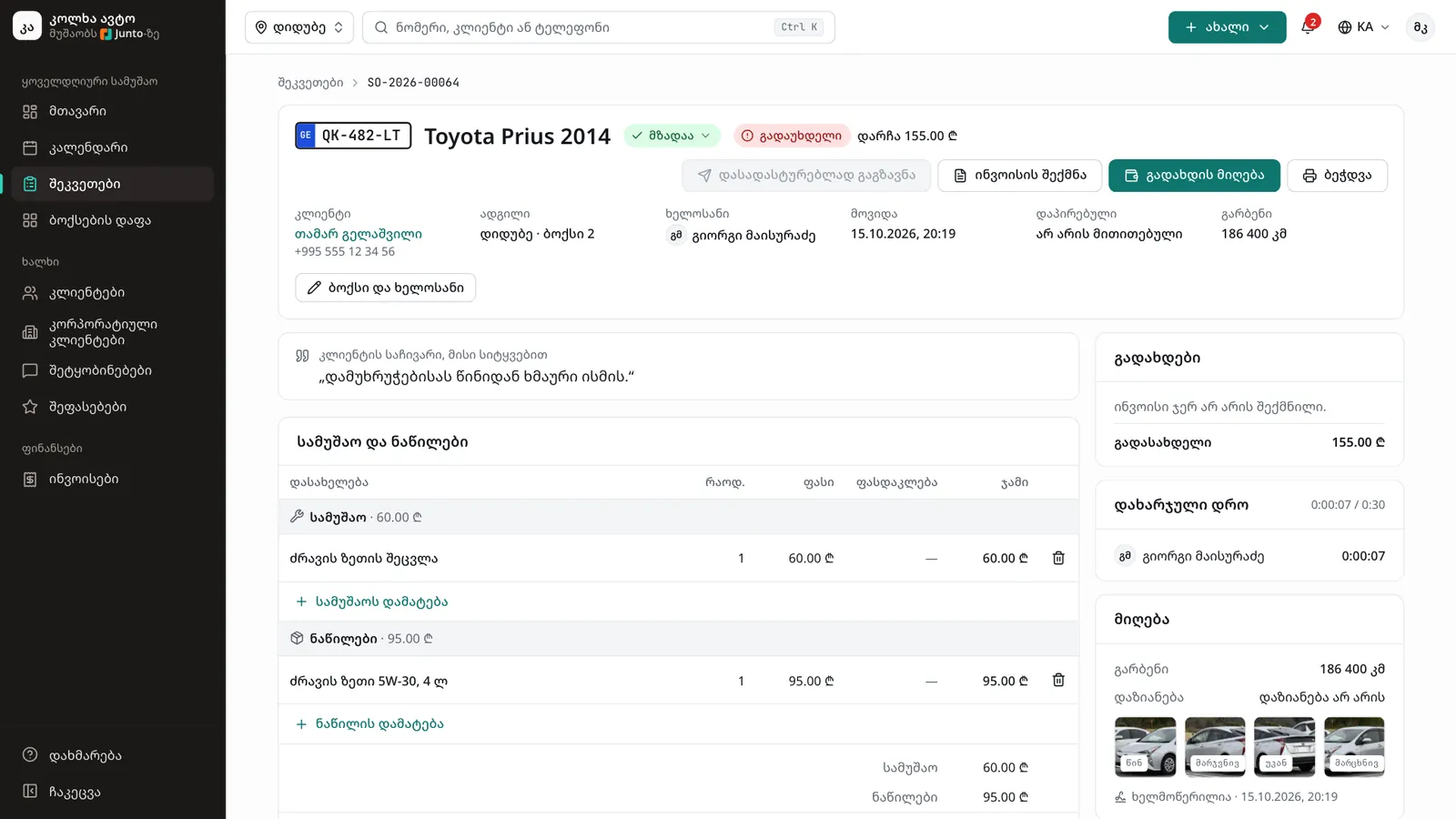
Step 1: Mark the car ready
Open the order, click the status button and, in the "Change status" menu, choose "Ready". You see "Ready. The customer gets an SMS." The same happens when the mechanic clicks "Job finished", or when you click "Ready" on the bay board.
Step 2: The customer gets an SMS
The customer is told the car is ready, with the amount to pay and a link to the order's page. If you take payments online, the link may go straight to the payment page.
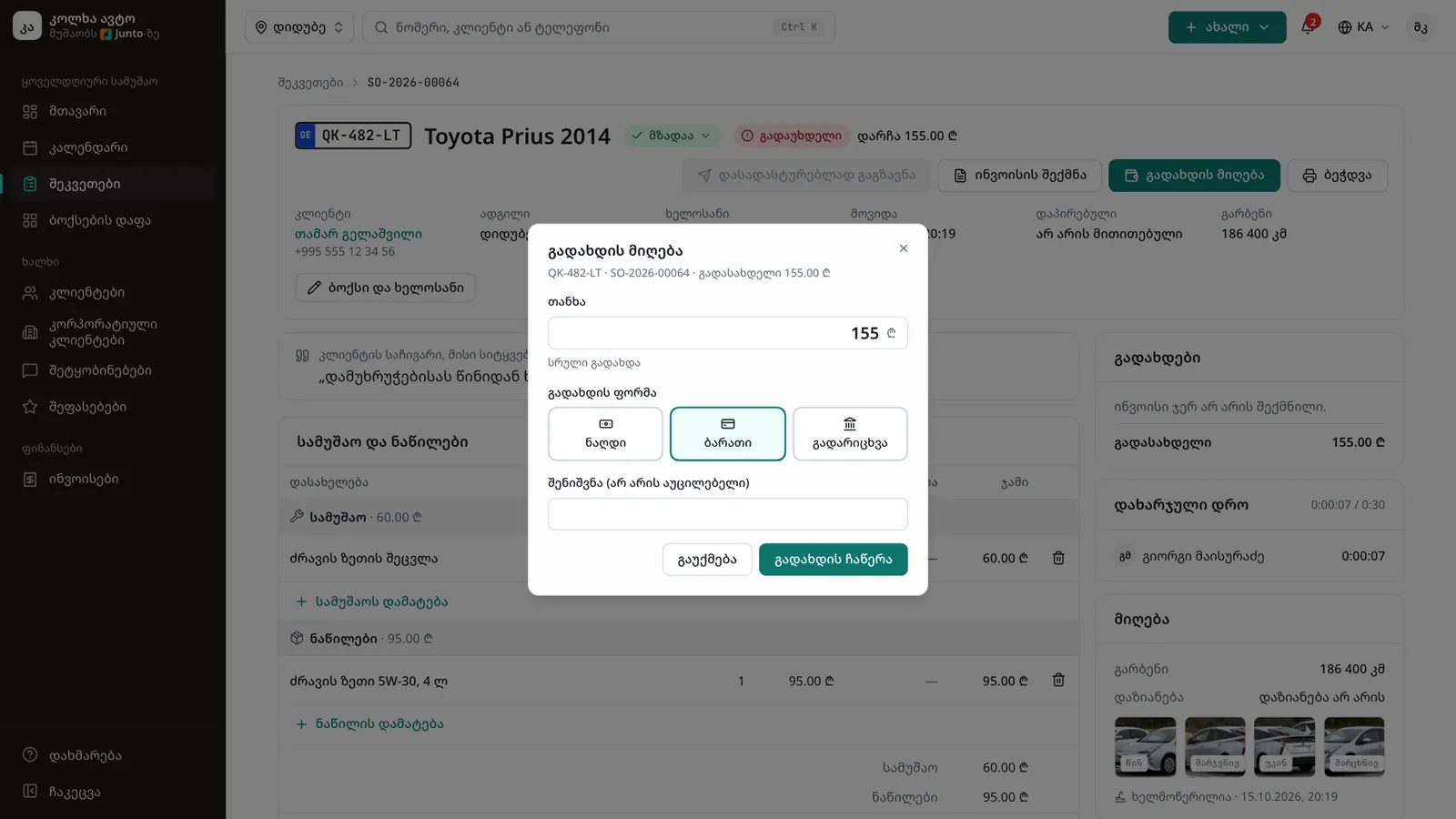
Step 3: Take the payment
When the customer arrives, click "Take payment". In the dialog check the "Amount", choose the "Payment method" (for example "Cash" or "Card") and click "Record payment". Create an invoice with "Create invoice" when you need one.
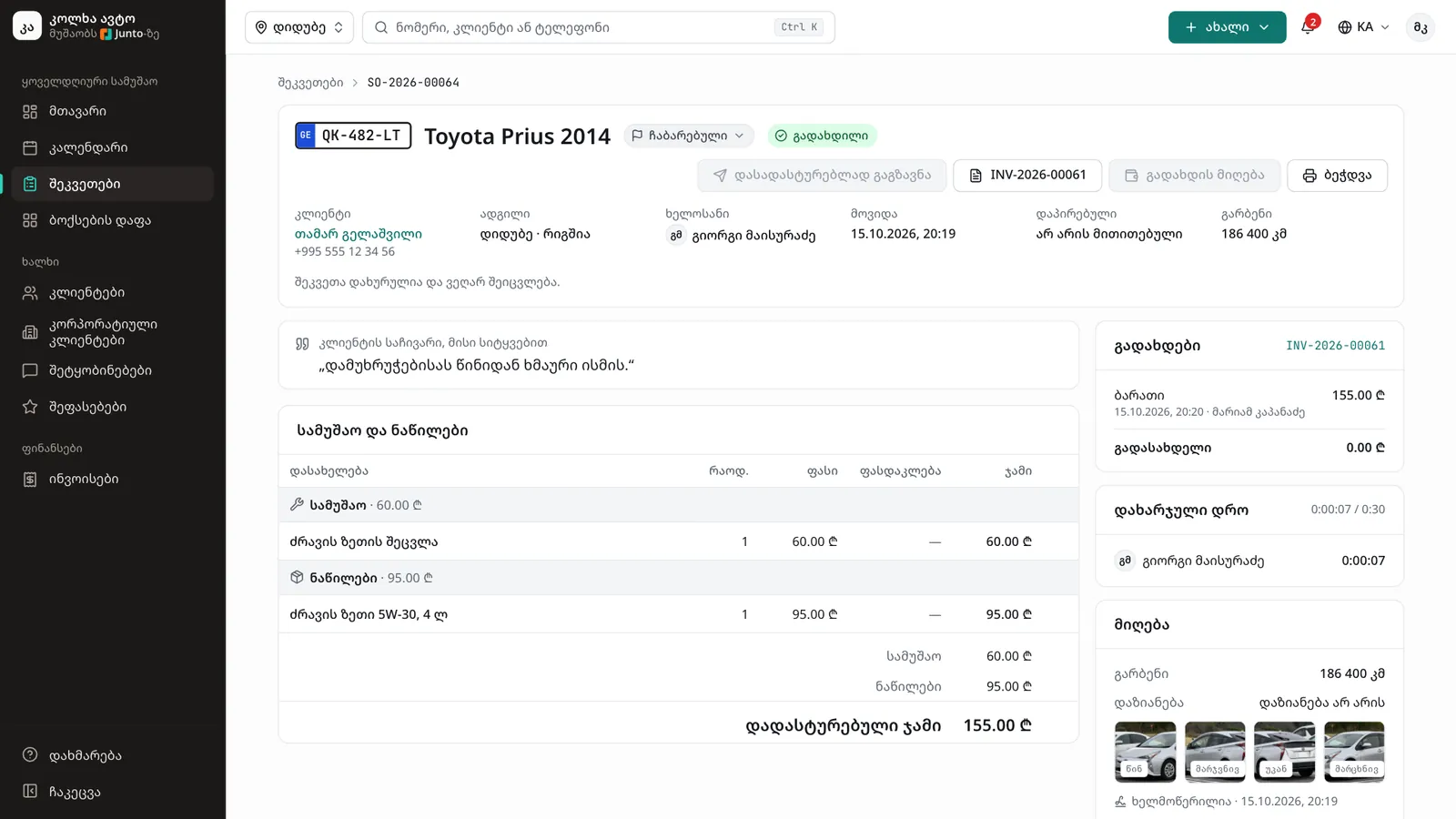
Step 4: Hand the car over
Click the status button and choose "Delivered". This status is only available from "Ready". The order closes and leaves the bay board.
Step 5: If the customer pays later
If the amount is not paid yet, the dialog "The car is leaving without payment" opens. Choose "Take payment and hand over", or "Leave as debt" if the customer will pay later. Either way the car is handed back.
Step 6: After the handover
The order reads "This order is closed and can no longer be changed." If you use reviews and SMS, the customer gets a link to rate the visit.
Tips
- Undo a status change made by mistake with "Undo" in the message.
- To reopen a delivered order, choose "Ready" in the status menu.
- The customer gets the "ready" SMS every time the car moves to that status.
- Delivered and cancelled orders are found under "Work orders" in the "List" view.
Related guides
- Invoice and taking paymentHow to create an invoice from a work order, take payment in cash, by card or by bank transfer, and print the invoice.
- Online payment by linkHow a customer pays by card from the SMS link before coming to collect the car, and where the shop sees it.
- The bay boardHow to follow the workshop on one screen: who is in which bay, how long they have been working and which car is ready.
- Reviews and repliesHow a customer rates a visit with five stars from the SMS link, and how the owner replies in public on the "Reviews" page.
- Customer and car historyHow to see all of a customer's visits, what they spent and what they owe, and a car's service history, photos and mileage.
- The SMS logWhere to see every SMS the shop sent to customers, whether it arrived, and how to send again one that failed.