Customers7 steps
Reviews and replies
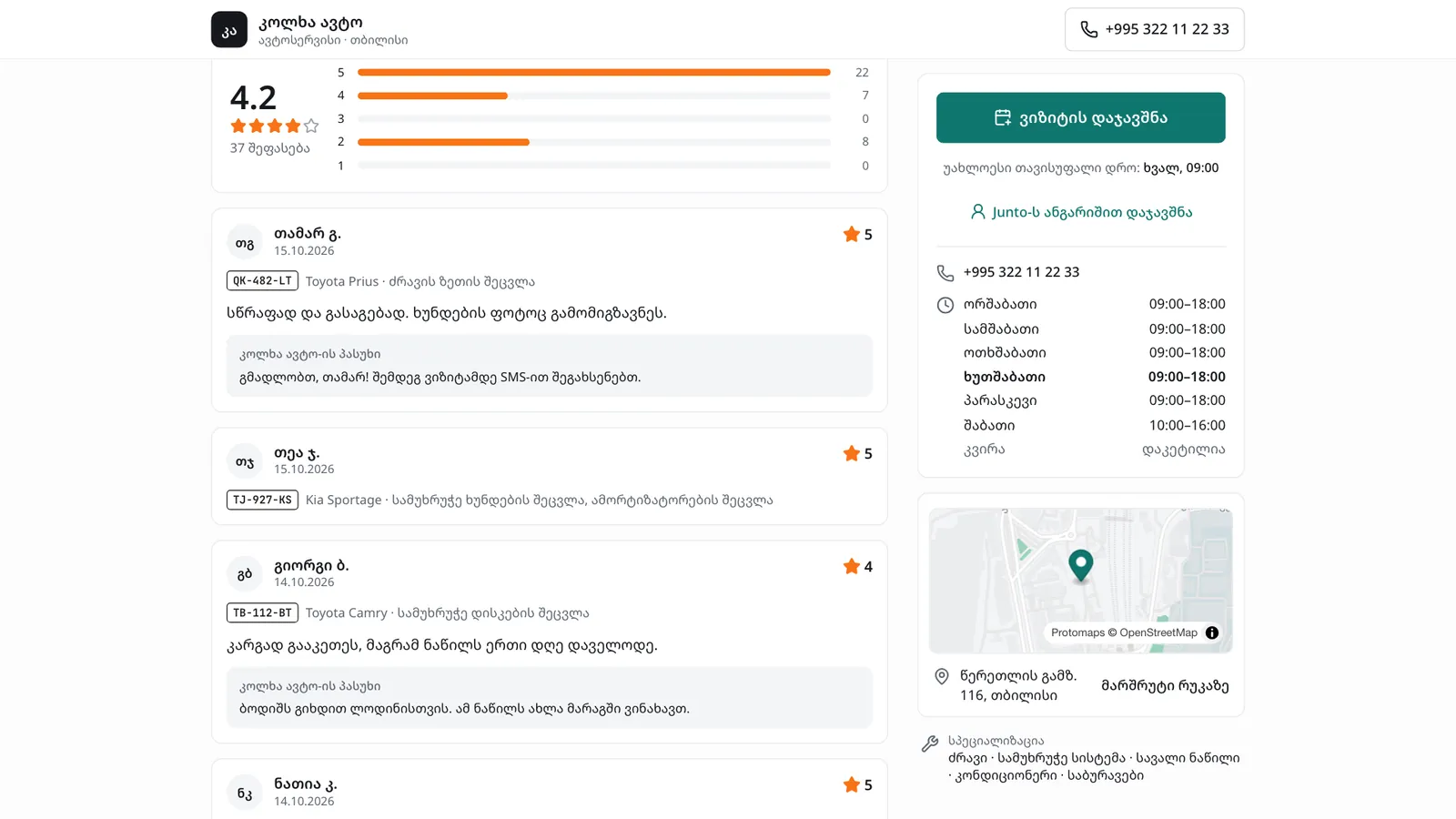
After the car is handed back, the customer gets a link by SMS and rates the visit from one to five stars. Good reviews show on the shop's public page and bring in new customers; a low one reaches the owner at once, who calls the customer before answering in public.
- Car owner
- Owner
- Manager
Steps
Step 1: The customer opens the link
When you move the work order to "Delivered", the customer gets a "Review request" SMS with a link. The link shows the question "How was your visit?" and five large stars.
Step 2: Stars and a comment
The customer picks the stars. Below, a word shows, for example "Excellent" for five, and a comment box: "Optional: what did you like?" for a high rating, "What went wrong? It helps us" for a low one.
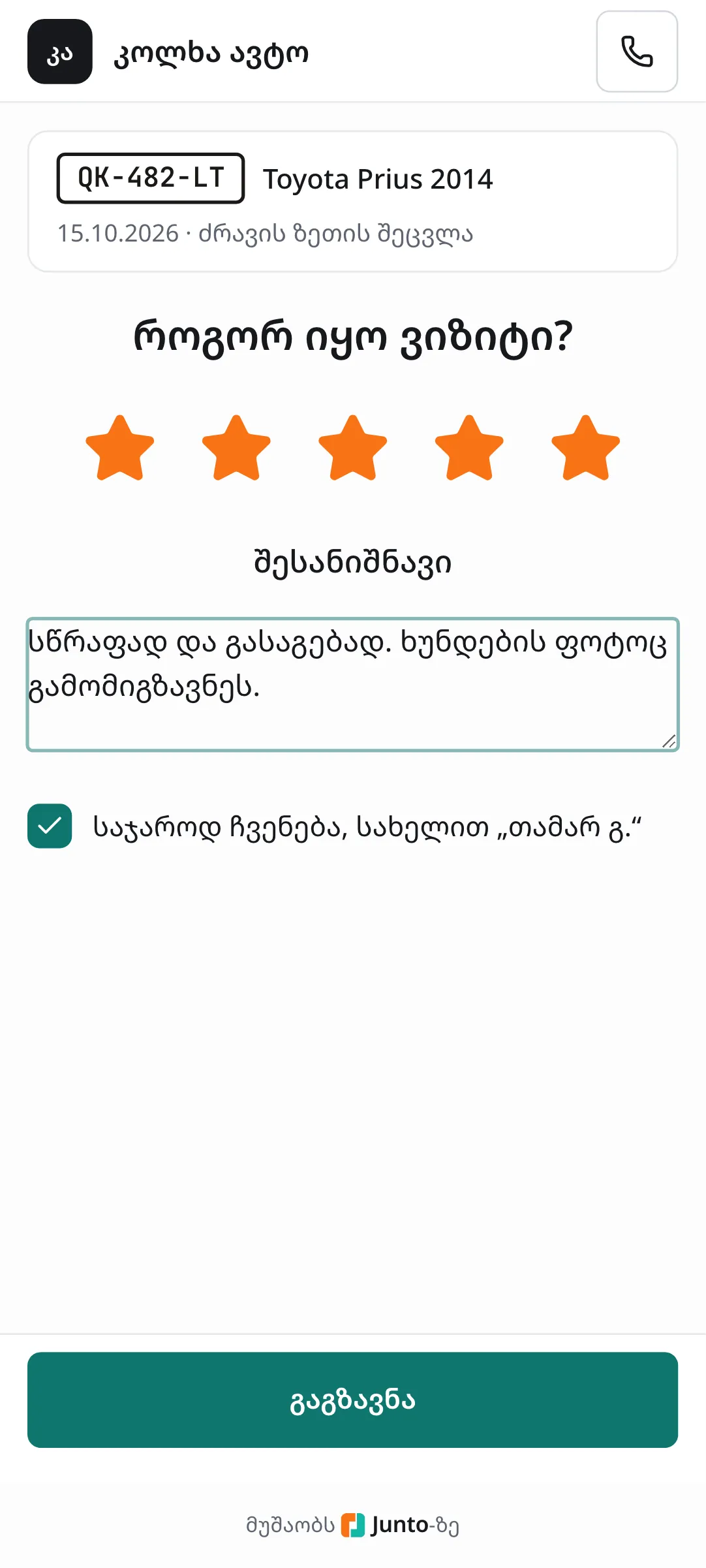
Step 3: Public display and sending
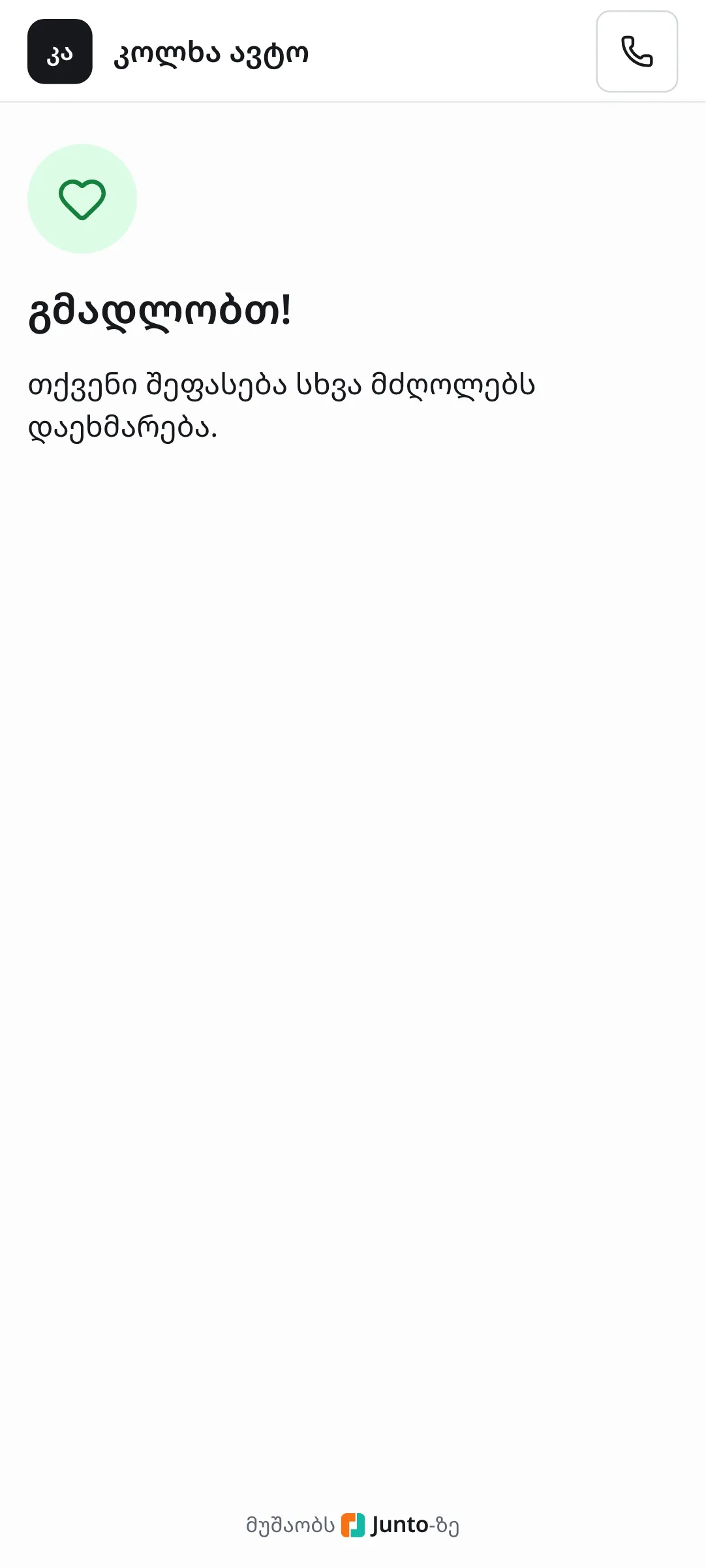
The tick "Show publicly as “…”" is on from the start. If the customer does not want that, they untick it. Then they tap "Send" and see "Thank you!".
Step 4: Open "Reviews"
In the shop, choose "Reviews" in the left menu. The top shows the average rating and the counts per star (click one to filter). Below are the filters "All", "Unanswered", "Low rating" and "All mechanics".
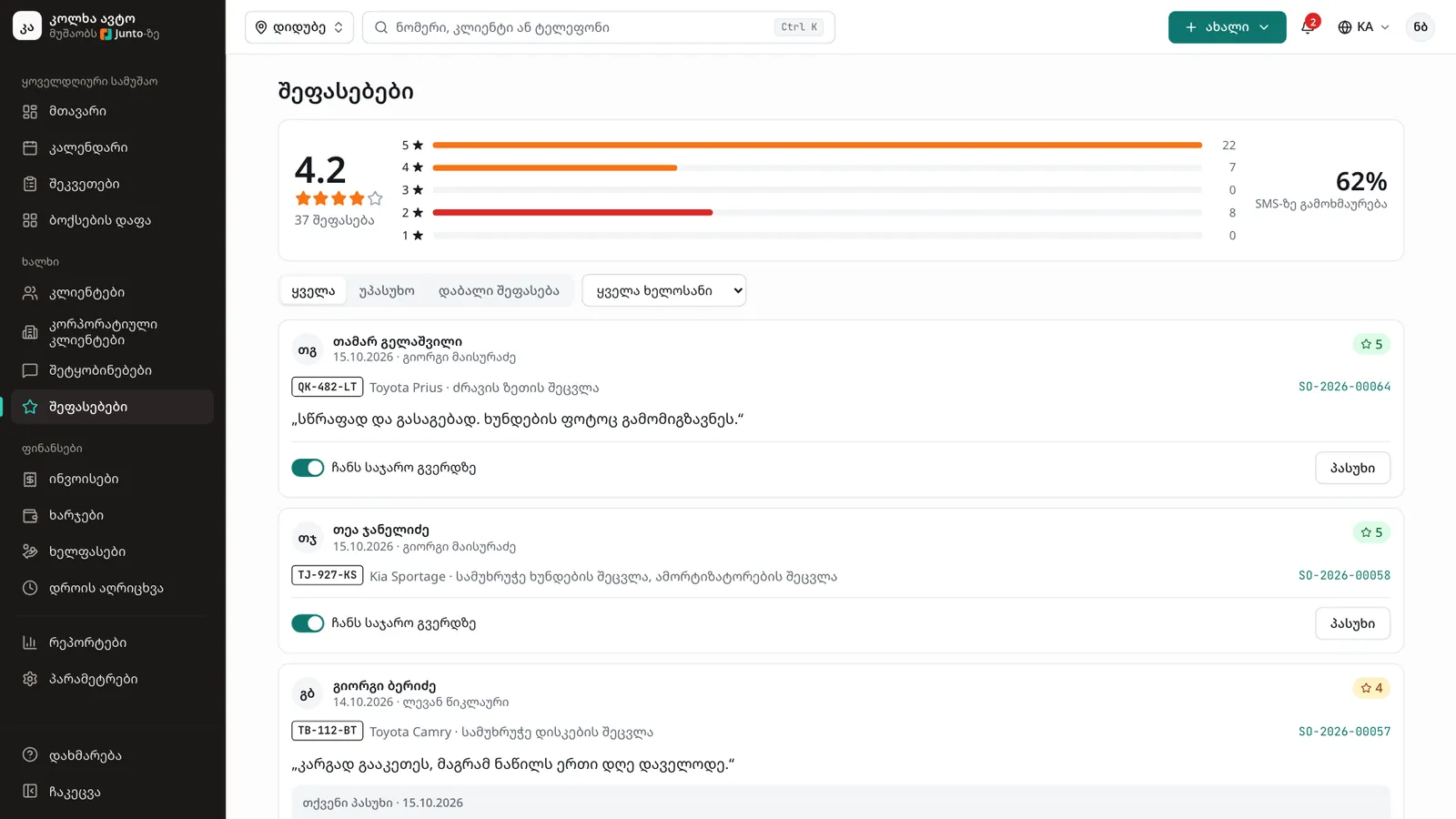
Step 5: Read a review
The card shows the customer, the date, the mechanic, the stars, the car, the work done, the order number and the comment. For one or two stars a red bar shows "Low rating. Call the customer before answering in public." with a "Call the customer" button.
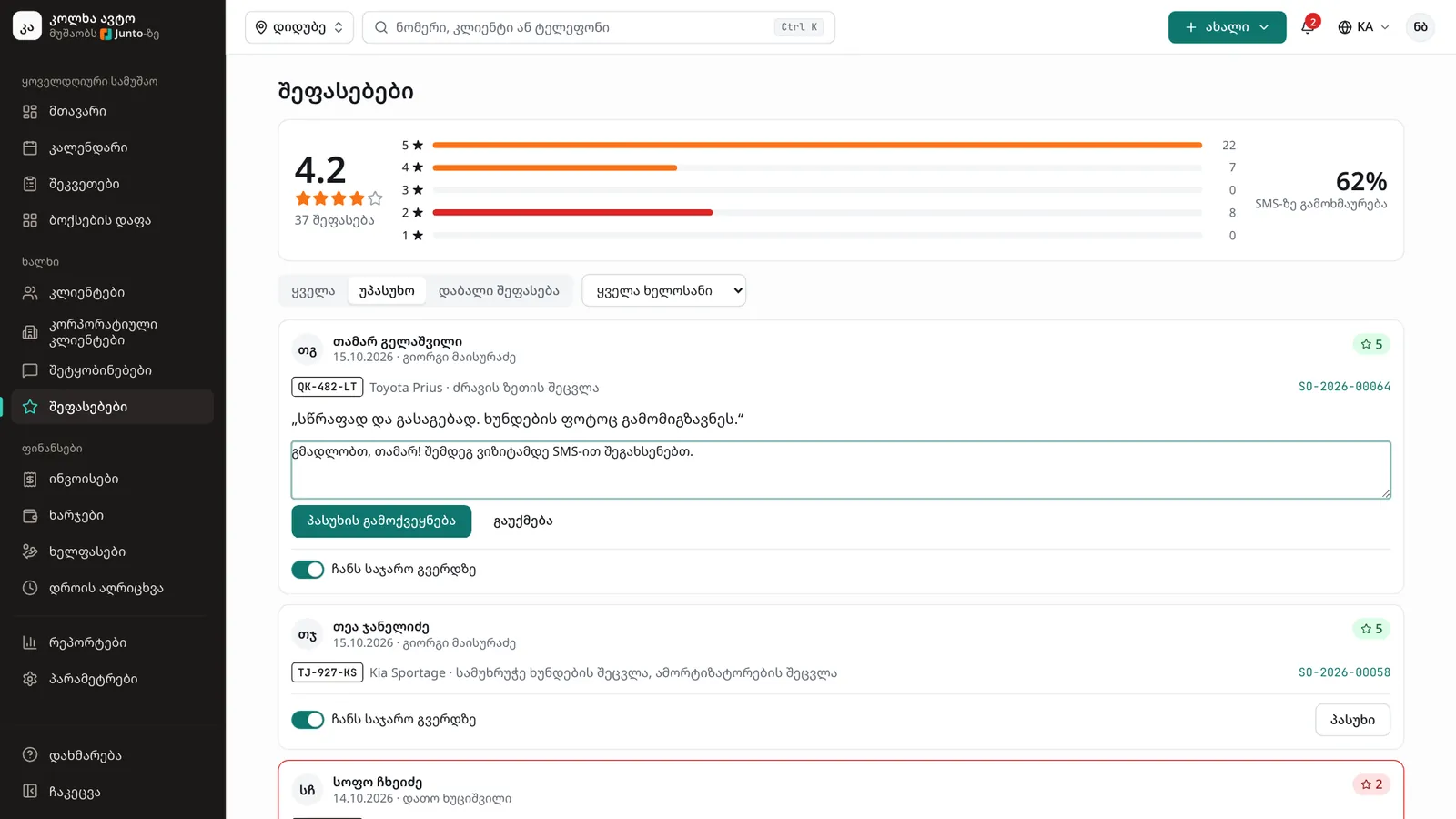
Step 6: Reply in public
Click "Reply", write the text and click "Publish reply". "Reply published" appears with the address where it shows. The reply shows on the card as "Your reply · date" and can be changed with "Change reply".
Step 7: Showing it on the public page
The switch "Shown on the public page" decides whether the review and your reply appear on the shop's public page. If the customer did not agree to be shown, the switch is disabled and only you see the review.
Tips
- A review link works for 14 days and once only. Opened again, it shows "You have already rated this visit. Thank you!"
- For a low rating, staff get a bell notification "Low rating:" with the plate. Call the customer first, then reply in public.
- On the public page the customer appears only under the name shown in the tick box, never with a phone number.
- Reception can read reviews, but only the owner and the manager can reply or change what is shown publicly.
Related guides
- Handing the car backHow to mark a car ready, take payment and hand it back to the customer, or leave it as a debt.
- The SMS logWhere to see every SMS the shop sent to customers, whether it arrived, and how to send again one that failed.
- The list and map of shops on junto.geHow drivers find a shop on junto.ge/services with the list and the map, and how your shop shows up there.
- Customer and car historyHow to see all of a customer's visits, what they spent and what they owe, and a car's service history, photos and mileage.
- Online booking and service settingsHow to choose the online booking mode and which services are offered online, and how to set service prices and durations.