Customers7 steps
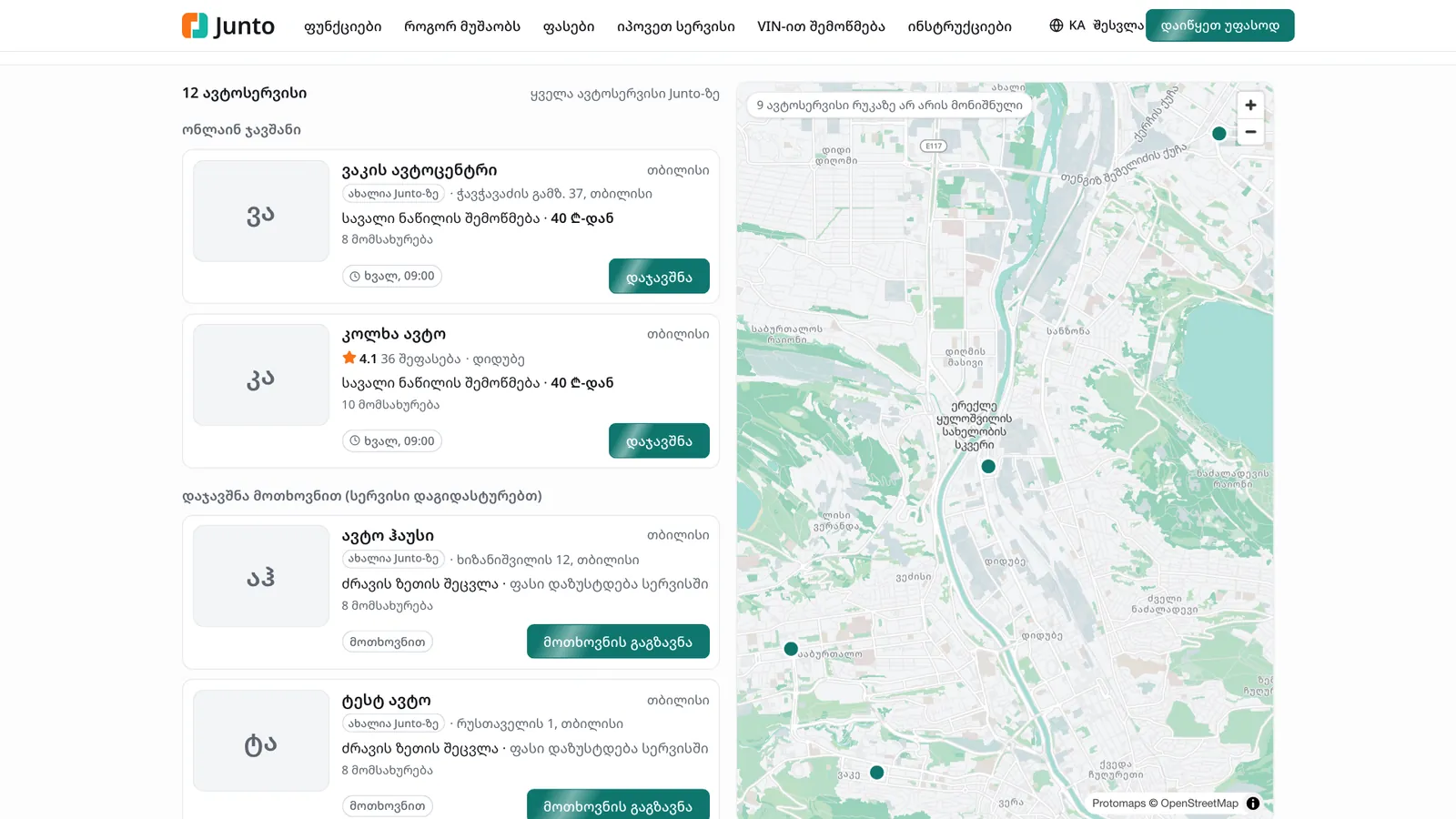
The list and map of shops on junto.ge
junto.ge/services is the shared search where drivers pick a shop by the job they need, location, rating and the next free time. Every Junto shop appears there by itself, so you get new customers without extra advertising.
- Car owner
- Owner
- Manager
Steps
Step 1: Open the search page
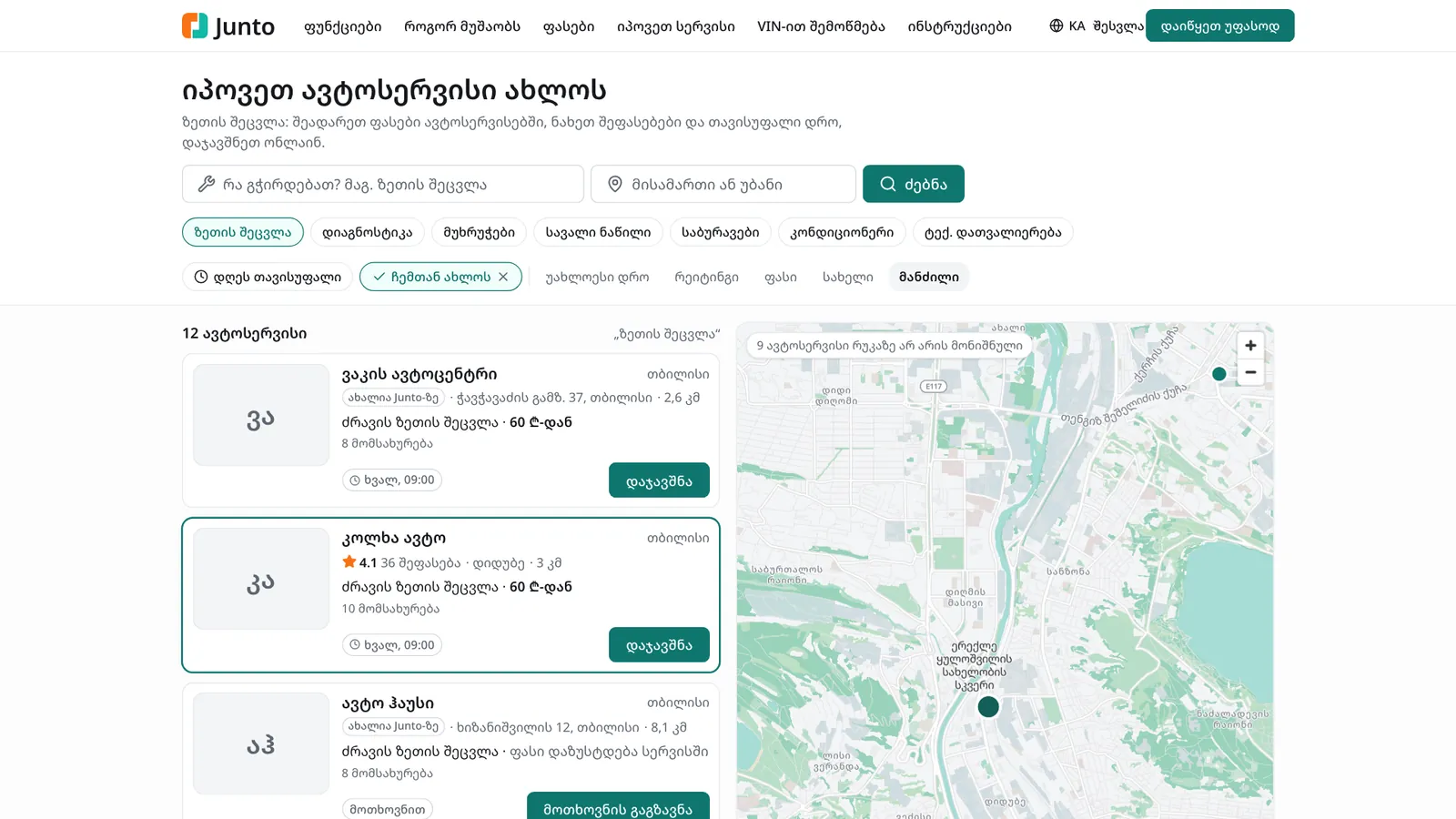
The driver opens junto.ge/services. The page is titled "Find a repair shop near you" and shows every Junto shop from the start.
Step 2: Search for the job
Type the job in "What do you need? e.g. oil change" and a place in "Address or district", then click "Search". Below are buttons for popular services and a "Free today" filter.
Step 3: Sort the results
Pick an order: "Soonest", "Rating", "Price" or "Name". The "Near me" button asks the browser for your location and adds a "Distance" order.
Step 4: List and map
On a wide screen the list and the map sit side by side: pointing at a card highlights its pin on the map. On a phone, switch with the "List" and "Map" buttons. Click a pin to open a short card with the shop's rating, next free time and a booking button.
Step 5: Pick a shop and book
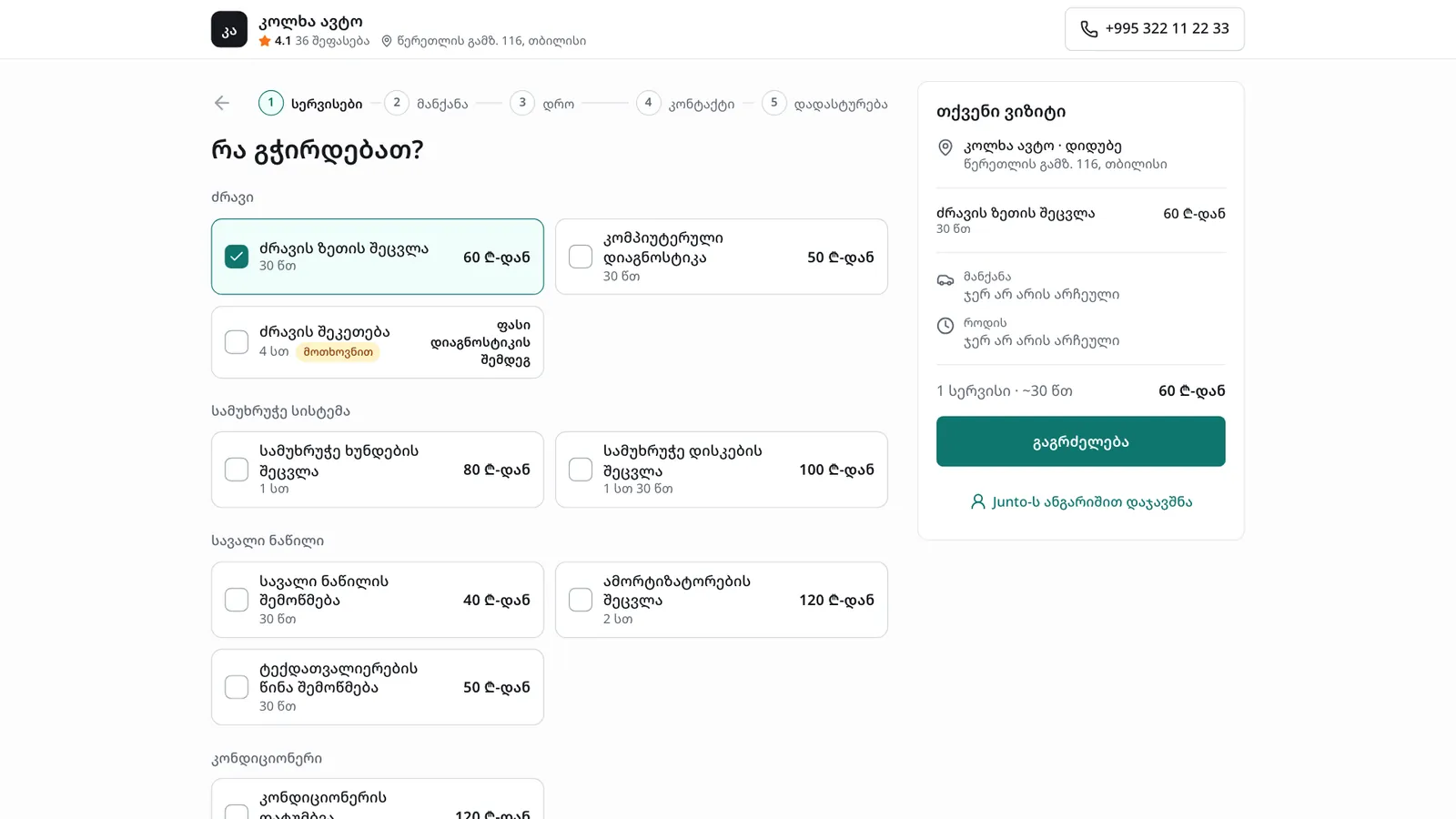
Each card shows the rating, the price and the next free time. Shops are grouped as "Book online", "Book on request (the shop confirms)" and "By phone only". Click "Book" or "Send a request".
Step 6: How your shop shows in the list
A shop with a branch is listed by itself. Its group follows the mode chosen under "Settings" → "Online booking". Prices show for services checked on "Services and prices"; the others say "Price confirmed by the shop".
Step 7: Put your branch on the map
Open "Settings" → "Branches, bays and hours" and, under "Location on the map", click the map where the branch is (or type the coordinates). Click "Save pin". Without a pin the branch shows in the list only.
Tips
- The same search and map are in the Junto app for car owners.
- The list starts sorted by "Soonest", so keep your working hours and bays accurate in the settings: then the list shows your real free time.
- A new shop with no reviews yet carries "New on Junto".
Related guides
- Online booking from your shop's pageHow a customer books a visit on your shop's page in five steps, and where your team sees the booking.
- Branch: opening hours, address and mapHow to set a branch's working hours, address, phone, place on the map, bays and closed days.
- Online booking and service settingsHow to choose the online booking mode and which services are offered online, and how to set service prices and durations.
- Reviews and repliesHow a customer rates a visit with five stars from the SMS link, and how the owner replies in public on the "Reviews" page.
- The Junto apps for car owners and mechanicsWhat the car owner app does (booking, order status, approval, payment, garage) and what the mechanic app does (jobs, timer, check-in, hours).