Workshop5 steps
The workshop screen
The workshop screen is a large, dark version of the bay board for a TV. It reads from several metres away, has no controls and updates by itself. Mechanics and reception see the same picture without taking out a phone.
- Owner
- Manager
- Receptionist
Steps
Step 1: Sign in to Junto on the TV's computer
On the computer connected to the TV, or in a smart TV's browser, open app.junto.ge and sign in with an account that sees the bay board (owner, manager or receptionist). Choose the branch.
Step 2: Click "Show on screen"
In the menu choose "Bay board" and click "Show on screen" at the top right. The page fills the whole screen, dark, in large type.
Step 3: What the screen shows
At the top: the shop and branch name and the time. In every bay: the plate, the car, the mechanic, the status, a timer with a bar and the promised time. The frame is green while the timer runs and red when the car is late. A free bay shows "Free" and the next booking.
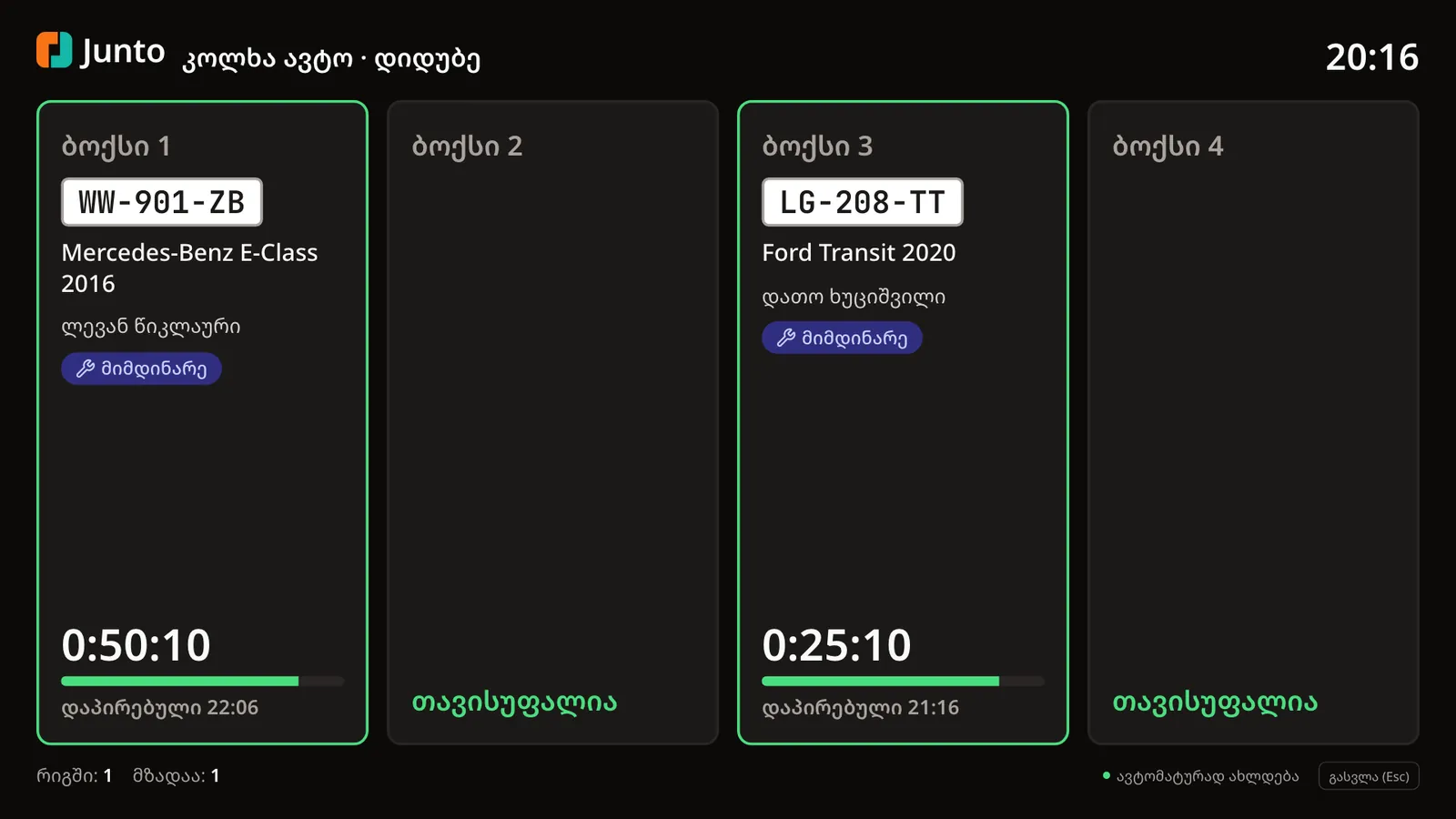
Step 4: The bottom line
At the bottom you see how many cars are "In queue" and how many are "Ready". "Updates automatically" means the screen needs no attention.
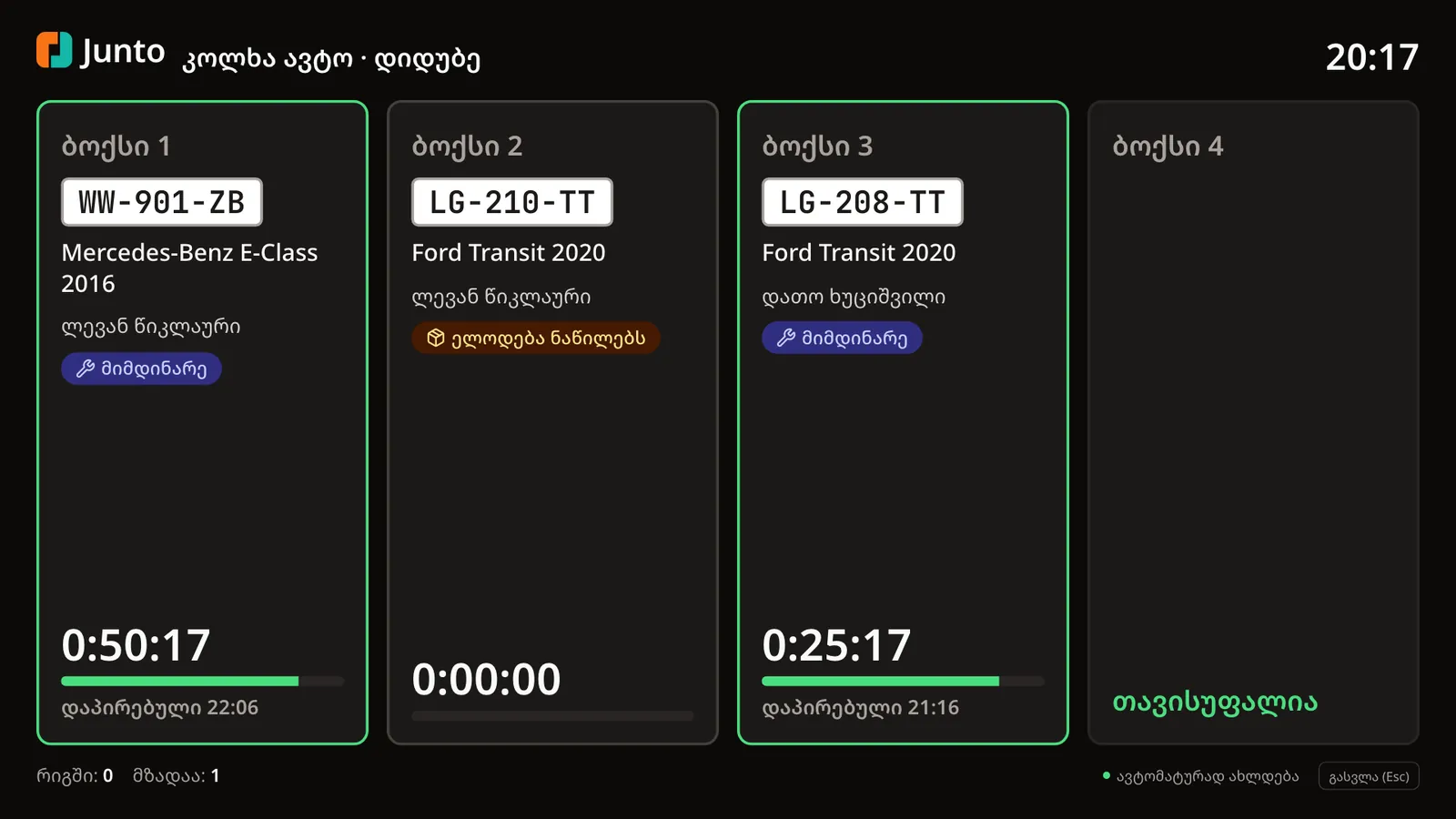
Step 5: Leave the screen
To go back to the normal board, click "Exit (Esc)", press the Esc key, or double-click the screen.
Tips
- To hide the browser's address bar, switch on the browser's full screen (often the F11 key).
- You can bookmark app.junto.ge/bays?wall=1 so the screen opens straight away.
- At most four bays are shown per row, so the type stays readable on a large screen.
- Nothing can be changed from the screen: it only shows. Changes are made on the bay board or in the order.
Related guides
- The bay boardHow to follow the workshop on one screen: who is in which bay, how long they have been working and which car is ready.
- Assigning a bay and a mechanicHow to give a work order a bay, a mechanic and a promised time in one dialog.
- Branch: opening hours, address and mapHow to set a branch's working hours, address, phone, place on the map, bays and closed days.
- Handing the car backHow to mark a car ready, take payment and hand it back to the customer, or leave it as a debt.