Getting started7 steps
Adding staff and roles
Each staff member signs in to Junto with their own email and password. The role decides what they see: the owner everything, the manager everything except payroll and the subscription, the receptionist the daily work, and the mechanic only their own jobs, without prices.
- Owner
- Manager
Steps
Step 1: Open staff
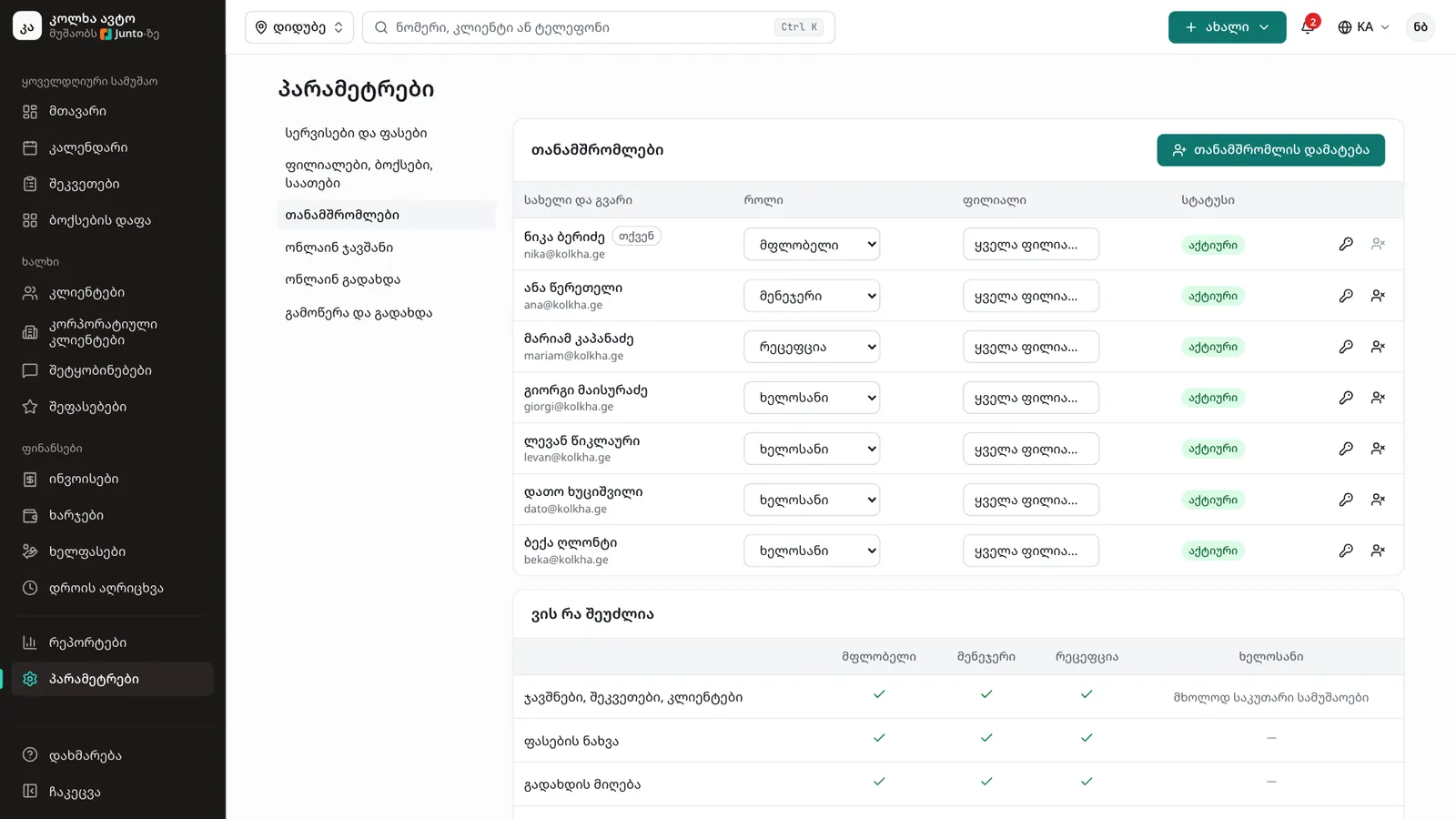
In the left menu choose "Settings", then "Staff". The table lists every staff member with their role and status.
Step 2: Click "Add staff member"
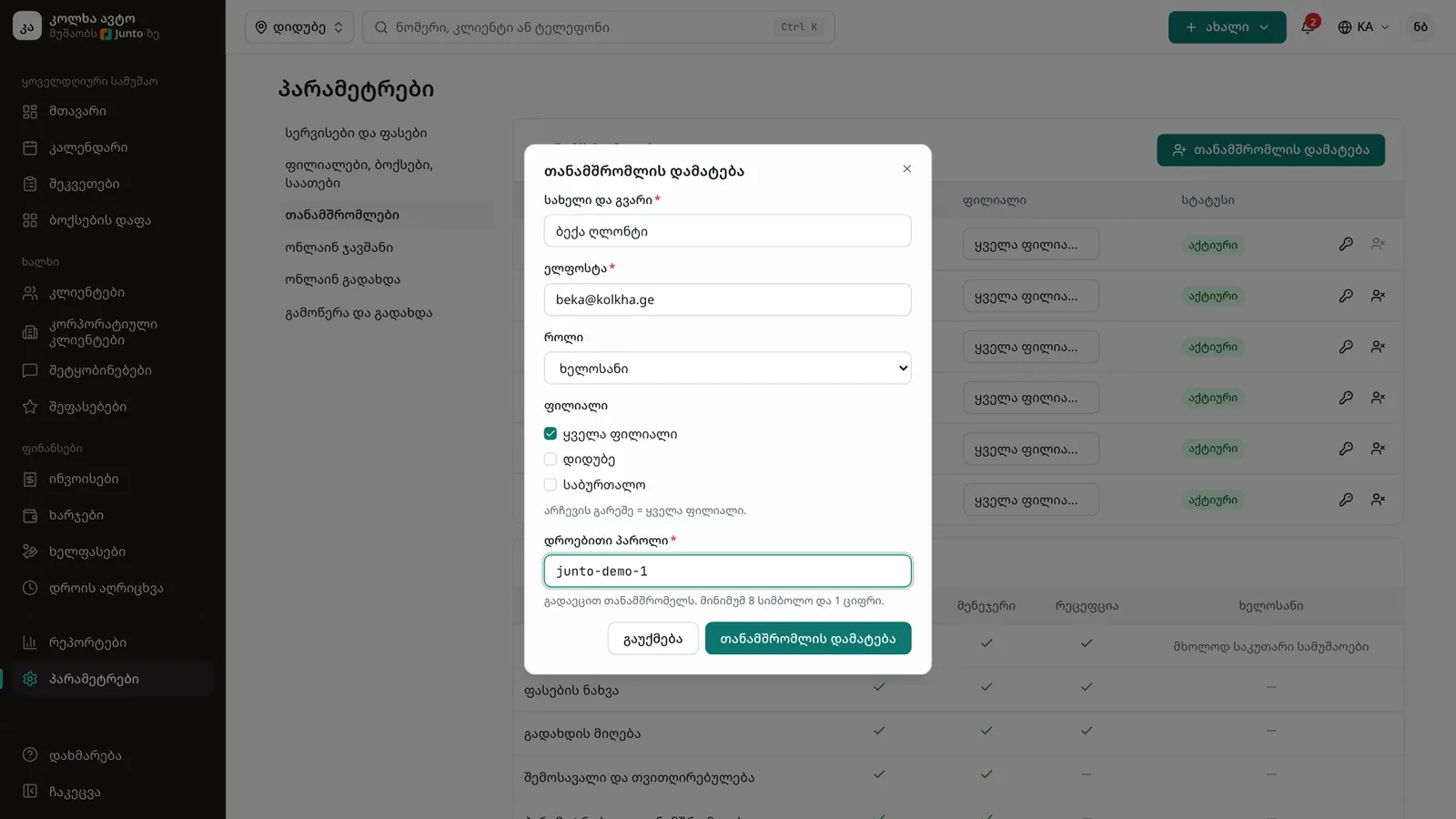
In the window enter the "Full name" and "Email". The staff member signs in with this email.
Step 3: Choose the role and branch
In "Role" choose "Owner", "Manager", "Receptionist" or "Mechanic". If you have several branches, tick in "Branch" where they work; with nothing selected they see every branch.
Step 4: Give a temporary password
Enter a "Temporary password": at least 8 characters and 1 digit. Click "Add staff member". Hand the email and password to the staff member yourself; they sign in at app.junto.ge, and a mechanic in the mechanic app too.
Step 5: Change the role or branch
In the table a staff member's role and branch change right in their row. The change works at once.
Step 6: Change a password or turn someone off
The "Change password" icon sets a new password and signs the person out on every device. "Deactivate" stops them signing in but keeps their history; "Reactivate" brings them back.
Step 7: Check who can do what
At the bottom of the page the "Who can do what" table shows for each role: appointments and work orders, seeing prices, taking payments, revenue and cost prices, settings and staff.
Tips
- The number of staff depends on your plan: the Start plan has 5 active staff. A deactivated staff member does not count towards the limit.
- Do not remove someone who has left, deactivate them: their orders, hours and pay history stay.
- A mechanic never sees prices, neither on the site nor in the app.
Related guides
- Branch: opening hours, address and mapHow to set a branch's working hours, address, phone, place on the map, bays and closed days.
- The Junto apps for car owners and mechanicsWhat the car owner app does (booking, order status, approval, payment, garage) and what the mechanic app does (jobs, timer, check-in, hours).
- Expenses, payroll and timesheetsHow to record the shop's expenses, work out and pay salaries, and check the hours your mechanics worked.
- Assigning a bay and a mechanicHow to give a work order a bay, a mechanic and a promised time in one dialog.